
Reading Journal: What to Record and How to Use It
The Quotabl team · · 12 min read
75% of U.S. adults read all or part of at least one book in any format in 2025, according to the Pew Research Center's survey of 8,046 adults. That's a lot of reading, and a lot of forgetting. Most readers finish a book with strong feelings and weak recall, then mistake the feeling for the knowledge.
A reading journal fixes that gap, but not the way many people think. It isn't an archive of beautiful quotations. It's a retrieval tool built from fixed fields. You capture fewer passages, restate each one as a claim in your own words, and then test and apply it later. The difference between a journal that works and one that collects dust is mostly structural, not artistic.
Table of Contents
- Why Readers Keep a Reading Journal
- The Fields and Workflow for Every Entry
- Capturing Passages From Print, Kindle and Articles
- Choosing a Format That Lasts
- Reviewing Passages So They Stick
- Start Your Reading Journal This Week
Why Readers Keep a Reading Journal
A reading journal exists because reading and remembering are different activities. You can finish a book with strong opinions and still lose the argument that changed your mind by next month. The feeling stays. The specifics fade.
Think of a long walk through a city. A photo of the whole route is handsome and useless when you need to find the bakery again. A trail of markers gets you back. A journal works the same way: one marker per idea you want to return to, placed where you can find it.
A journal is a trail of markers, not a photograph of the whole route.
A good entry does three jobs. It preserves the exact words, so the author's claim doesn't dissolve into your paraphrase. It adds your response, because a quotation with no reaction gives you nothing to retrieve. And it sets up a later look, with a date or prompt that brings the passage back.
You don't need a leather notebook, perfect handwriting or a color system. A plain text file, a spreadsheet or a notes app does the same work. What matters is the field list below and a small routine you can start tonight.
The Fields and Workflow for Every Entry
Fixed fields give a reading journal its shape. Each field asks you to do something with a passage: explain it, connect it to experience, question it or try it. Filling them in turns a saved quotation into a retrieval exercise you can repeat.
The field list
Copy this list into whatever tool you use. The examples show how much detail belongs in each field. Keep the answers short enough that completing an entry doesn't interrupt the reading itself.
| Field | What to write | Example |
|---|---|---|
| Source | Book title, author, edition and page or location | Title and author, paperback edition, page number |
| Exact passage | The quotation word for word, inside quotation marks | The sentence copied exactly from the page |
| Reaction | One line on what it made you feel or think | Surprised that small changes add up slowly |
| Claim | The main idea restated in your own words | Progress depends on repeated small actions, not single big ones |
| Personal example | A time this idea showed up in your life | Missed the gym repeatedly and started over |
| Follow-up question | What you want to test, check or look up | Does this still hold when my schedule changes? |
| Action | One concrete thing to try this week | Put a two-minute task on my calendar each morning |
| Next review date | The date you will return to the entry | Seven days after saving |
The claim is the hinge. A quotation records the author's wording; the claim shows your understanding. Cover the passage before writing it. If you struggle, that difficulty tells you what needs another look.
The remaining fields give the claim a job. Your reaction records why you noticed it, while your personal example connects it to something you recognize. The question identifies an uncertainty. The action turns the idea into a practical test, and the review date gives you a chance to examine what happened.
The six-step workflow
Use the same sequence for each passage, adjusting the detail to the kind of reading.
Save fewer passages. Choose lines you would act on or explain to someone else. Each saved passage creates work later: you need to understand it, check it and return to it. If several passages make the same point, keep the one you can use most clearly. Selection keeps the journal manageable.
Write the claim from memory. Cover the quotation or switch documents, then explain the idea in your own words. In a controlled study, participants who read educational text and freely recalled it twice performed better on a free-recall test two weeks later than participants who took notes, recalled once and reread their notes (PLOS ONE). For your journal, the practical step is simple: attempt the explanation before looking back. A polished paraphrase written while staring at the passage doesn't give you the same opportunity to check what you remember.
Reveal the source text and check the claim. Compare your sentence with the passage. Did you miss a condition, broaden the argument or turn a suggestion into a rule? Correct the claim before reviewing it again. The aim is an accurate explanation in your own language, not a sentence that merely sounds convincing.
Add one personal example and one follow-up question. Use an actual situation rather than a broad statement such as “this happens often.” Then ask something the passage leaves unresolved for you. “Does this hold when my schedule changes?” gives you a clearer reason to return than “Is this useful?”
Choose a template. Keep the core fields, but give the entry a clear purpose. Factual learning calls for a fact, a definition and a test question. Behavior change calls for an action this week. Reflective reading calls for a belief to examine. Avoid forcing every passage to serve all these purposes.
Set the next review date and file the entry. Try seven days after saving as a starting interval. File the entry under its book and a relevant topic. The book preserves context; the topic helps you find the idea when a different reading or practical problem brings it to mind.
The slip that turns a journal into an archive
A summary can sound complete while leaving you with little to test. “The author explains that focus requires boundaries” identifies the subject. “My attention improves when I choose the priority before opening email” states an interpretation you can examine in practice. Check that interpretation against the passage, because making an idea personal can also change its meaning.
AI-generated summaries can make it tempting to skip this work. A 2025 randomized experiment involving 405 secondary-school students found that traditional note-taking improved comprehension and retention relative to using an LLM alone, while combining note-taking with an LLM also outperformed LLM-only use (Microsoft Research). Keep the initial explanation in your own hands, then use a tool to question or connect what you wrote.
For a passage about focused work, an entry that says only “deep focus requires eliminating distractions” leaves the application vague. Give it something concrete to test:
- Claim: My attention improves when I decide in advance what deserves the next hour.
- Example: Last Tuesday I answered email for an hour before starting the report I cared about.
- Question: Does this hold on days with back-to-back meetings?
- Action: Block 9 to 10 a.m. tomorrow, close email and put the phone in a drawer.
This version gives you a decision to try and a question to revisit. If you keep notes in Notion, you can explore Saturdone's Notion second brain when choosing a structure for these fields. Let the fields guide the setup rather than adding detail for its own sake.
Before filing, check whether the entry makes the author's idea and your intended response clear. You should be able to recover the meaning, explain it without copying and identify what to test next. That's the work the form is there to support.
Capturing Passages From Print, Kindle and Articles
A paperback on the train, a Kindle at night, a PDF for work, a newsletter on the phone. The same week can produce four kinds of highlights, and a journal that accepts only one kind creates four separate piles. A reading journal works like a small sorting tray. Each passage lands in the same place, with enough source detail that later you can find it, question it and use it.
Four capture routes
- Printed books. Write the page number by hand, or scan the page with your phone camera, tap the lines you want and let text recognition on the phone pull them in. The page number matters more than neat handwriting because it points you back to the page when a claim starts to look shaky.
- Kindle books bought from Amazon. Connecting your Kindle imports your books, highlights and notes from the Amazon notebook, usually in under a minute. Quotabl reads only book titles, highlights and notes from the Kindle notebook, and the highlights are already tied to the book.
- Kindle files you added yourself. Books you added yourself, such as sideloaded files or documents, do not appear in the Amazon Kindle notebook. To capture those, copy the My Clippings.txt file from the device and import it directly into Quotabl, which merges duplicate highlights and keeps your notes. That route also handles highlights from documents that never came from Amazon. For readers comparing tools, this Kindle clippings converter describes the same need: get device clippings into a usable library without losing notes.
- Articles and other ebook apps. Type or paste the passage into Quotabl, together with its URL and publication date. You can paste text from an article, an ebook app or a note, and a pasted excerpt without a source becomes an orphan within a month.
What every capture must keep
Paper and handheld reading differ depending on the conditions, so there is no universal winner. Record which medium a passage came from, because that tells you what kind of second look it needs. A Kindle location can send you back to the book. An article URL can show you the surrounding argument. A printed page number can make you check whether your memory polished the sentence too much.
- Book and edition. A page number without an edition is a guess.
- Author. The name is the search key you will remember.
- Location. Page for print, location for Kindle, URL for an article.
- Exact wording. Paraphrase in the claim field, never in the quotation field.
- Medium and capture date. These explain why a highlight may look different from the printed page.
Edited Kindle highlights can appear twice. Merge the duplicates instead of keeping both copies. Two copies do not improve recall; they make full-text search noisier and make the same idea look more important than it is.
For print, capture first and transfer second. Write the line on an index card or scan it while the book is open, then move it into the journal. Let the capture hold the exact words while you add the claim, example, question and action later. When you review, the medium tells you whether to trust your claim or check the page again.
Choosing a Format That Lasts
Format choices look like taste. They're really about retrieval: can you find the entry, reopen it and export it when the tool changes?
| Format | Best for | Retrieval | Portability |
|---|---|---|---|
| Paper notebook | Reflective notes and offline capture | Slow, page by page | Scan or photograph pages |
| Spreadsheet | Factual learning and filtering by topic | Fast with filters | CSV export |
| Notes app | Mixed sources and full-text search | Fast across all entries | Markdown or plain-text export |
| Dedicated reading app | Kindle sync and scheduled review | Full-text search and reminders | Markdown export |
The trade-offs in plain terms
Paper suits reflective notes and offline capture. It also makes search slow, because you're flipping pages instead of typing a phrase. A spreadsheet suits factual learning and filtering by topic, but it's a poor place for long reflections. A notes app such as Notion, Obsidian or Apple Notes gives you full-text search across mixed sources, provided you keep the fields consistent. A dedicated reading app syncs Kindle highlights and schedules reviews, which saves you from rebuilding the routine by hand.
The best format preserves source details, supports later search and exports cleanly. Everything else is preference.
The portability rule
Keep a plain-text or Markdown copy of the archive. Markdown opens in most note apps and survives a change of tools. A dedicated reading app can export the whole library as Markdown, with one section per book, which gives you a clean exit rather than a locked drawer.
Moving between formats often loses source details. Export before you switch, then check one entry after the move: title, author, page, exact passage and claim. If any field is missing, fix it before you add another hundred entries.
If you want the longer history of this habit, the digital commonplace book traces how readers have kept passages across paper and software.
Reviewing Passages So They Stick
Review is where a journal either becomes a memory aid or a nicely formatted graveyard. The difference is whether entries come back on a schedule.
A working journal looks ordinary: a page, a pen and a date you'll return.
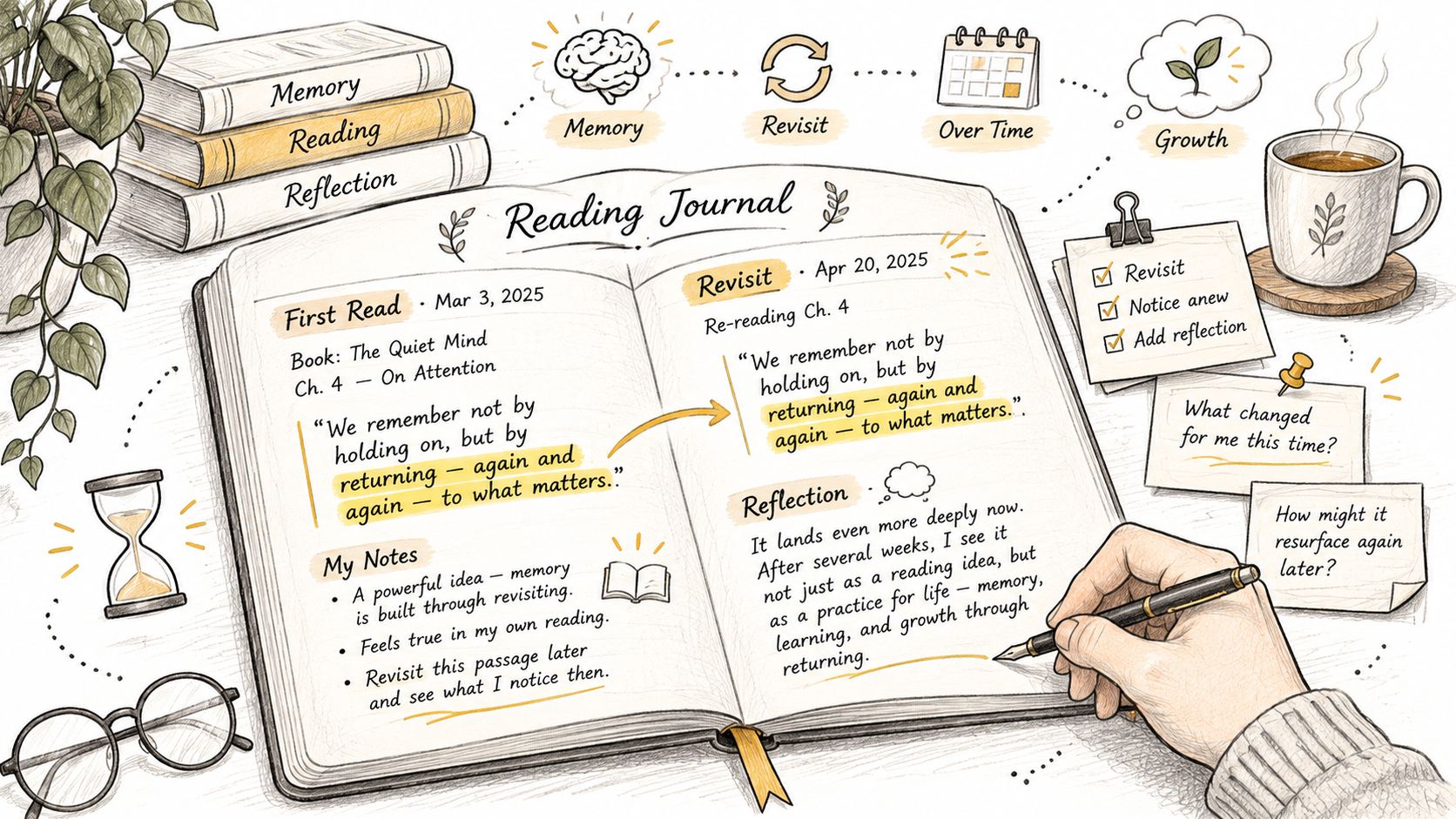
A 2021 meta-analysis covering 29 studies found that spacing retrieval-practice episodes produced a strong retention advantage over massed retrieval, with an effect size of g = 0.74 (ERIC). For a journal, that means returning to a passage after the first reading, not rereading it five times the same night. Massed retrieval means testing yourself repeatedly in one sitting; spacing means spreading those attempts out. The mechanism is effortful reconstruction: you try to state the idea before you look at the saved quotation.
The analysis didn't support the common assumption that intervals must always grow. A consistent spacing schedule can work too. Timing should follow how well you recall, not a rigid calendar.
A weekly review you can finish
Set aside ten minutes once a week. Open three to five entries, cover the reaction and claim, and state the idea out loud. Then check yourself. If you get it, leave the entry alone. If you miss it, mark it for a shorter return.
Once a month, promote one strong claim into a project note, a checklist or a paragraph you're writing. Once a year, delete entries you no longer need. A journal is a working set, not a vault.
Adjustment rule: recall an entry easily twice in a row and lengthen its next interval. Miss it and shorten the interval, then rewrite the claim.
If you're stuck on what to ask when an entry comes back, these prompts for reading give you question stems that work for fiction and nonfiction.
The method only works if you can filter and reopen entries quickly. A review you can't find is a review you won't do.
Start Your Reading Journal This Week
Start with one book. Not a system, not a stationery order. One book you're reading this week.
A simple capture screen is enough; the fields do the work.
- Pick the book. Choose the one you're most likely to finish in the next two weeks.
- Write its source fields. Title, author, edition, and page or location. Fill these in before you save a single passage.
- Save three passages you can act on. For each one, hide the quotation and write the claim from memory. Add one example and one action.
- Set the first review for seven days later. Put it on your calendar, not in your head.
The first entries will feel slow. That's normal. The aim is a habit, not a perfect archive, and no special notebook or handwriting is required. If you read on Kindle, an app such as Quotabl can bring highlights into one place for review, alongside whatever notebook you already use.
Before you stop, run one check. Open an entry you wrote two weeks ago and state its claim without looking. If you can, the journal is working. If you can't, shorten the next review interval and rewrite the claim. That single check tells you more than a month of collecting.
Quotabl is a reading companion for iPhone and Android that syncs Kindle highlights and brings them back in a two-minute daily review, a Home Screen quote and reminders. If you want your reading journal to do the retrieval work for you, visit Quotabl and connect your Kindle in under a minute.

Written by
The Quotabl team
Makers of Quotabl
We make Quotabl, the app that syncs your Kindle highlights and brings them back with a daily review, a Home Screen widget and Margo, a reading companion. We write about reading, remembering what you read, and getting more out of your highlights.