
Digital Commonplace Book: What It Is and How to Use It
The Quotabl team · · 13 min read
You finish a book feeling changed. A month later, someone asks what it was about, and you offer the title and a vague gesture at "something about focus." The passages you marked are still sitting in your device, untouched since the day you saved them.
That gap between saving and knowing is what a digital commonplace book is built to close. Not by storing more, but by bringing a small number of passages back to you until you can use them.
Table of Contents
- Why Saved Highlights Fade and What a Commonplace Book Fixes
- The Old Model Behind Your Digital Notes
- Entry Fields That Make Every Passage Findable
- Collecting Passages From Kindle, Print and Articles
- How to Revisit Ideas on a Review Schedule
- Common Mistakes That Turn a Notebook Into an Archive
- Choose Your Setup and Start This Week
Why Saved Highlights Fade and What a Commonplace Book Fixes
Say you finish a nonfiction book with sixty highlights on your Kindle. You tap through them once, feel organized, and move to the next title. Four weeks later you can't name a single idea from it. Nothing was lost. The highlights were saved and never met again.
A digital commonplace book is one searchable notebook where you gather passages from every source you read, add a note of your own to each one, file it under topics rather than by book, and bring it back on purpose. It's a modern version of an old reading habit, and the old version explains why the structure matters.
Three jobs make it work:
- Collect passages from ebooks, printed pages and articles into a single place, so one search covers everything you've read.
- Organize every entry with the same fields, so a passage you saved in March is findable in November without remembering which book it came from.
- Revisit a handful of entries on a schedule, recalling each idea before you look at it.
Most readers do only the first job. That's the honest failure point. A growing archive feels productive because the count goes up, and the count is the only thing you can see. Recall doesn't show up on a dashboard, so it never gets scheduled. If you've been collecting for years and still can't remember what you read, the problem isn't your memory, it's that remembering what you read depends on acts of retrieval you've never built into the routine.
You can set up the notebook in one evening and run your first review inside a week. Start with the book in your hands, not your whole library.
The Old Model Behind Your Digital Notes
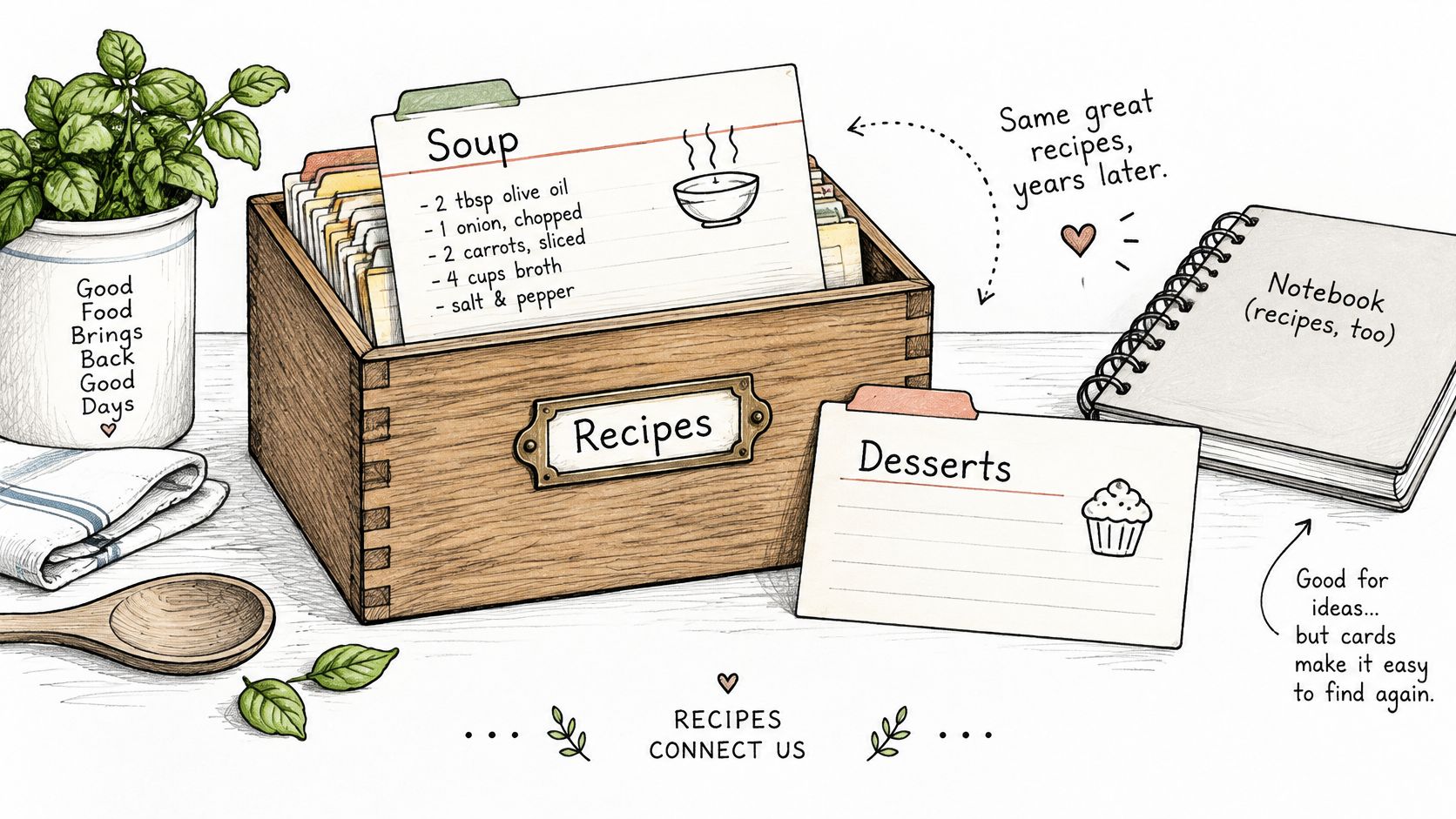
Think of a recipe box. One card holds one recipe. Each card sits under a heading like soups or desserts, and you can pull out a card years later without reading the whole box. A commonplace book does that for ideas: one passage per entry, filed by topic.
The method was taught in classrooms, not invented by productivity bloggers. Renaissance humanist educators including Erasmus, Juan Luis Vives and Philip Melanchthon promoted structured commonplacing as part of formal study, and by the mid-1500s the majority of English schools followed a humanist curriculum built on systematic engagement with classical literature and the recording of useful passages, according to a scholarly history of commonplace books from Oxford University Press. Students weren't journaling. They were building a support system for memory, composition and argument.
What changed, and what didn't
The workflow survived. Only the medium moved:
- The handwritten notebook becomes an app or a database.
- The topical index at the front becomes full-text search across every passage and note.
- Copying by hand becomes syncing, scanning or pasting.
- Reopening the notebook becomes a reminder that arrives on your phone.
Each swap has a cost. When capture takes one tap, you stop deciding what deserves keeping, and the box fills with cards you'd never cook from. The friction that used to filter your reading is gone, so you have to replace it with a rule.
A commonplace book is valued for retrieval, not for how much it holds.
That's the test for every organizing choice you make. If a folder, tag or app makes a passage easier to recall and use later, keep it. If it only makes the collection look tidy, drop it.
Two parts carry the whole method: capture and retrieval. Capture is the easy half, and it's where most tools stop. If you want the filing side to hold up past a few hundred entries, use this guide to build a searchable knowledge base, which covers how consistent structure keeps notes findable as they pile up.
Entry Fields That Make Every Passage Findable
Every entry needs the same fields. Skip one and both search and review start to fail, because you'll be looking at a quote with no author, no topic and no reason you saved it.
| Field | What to write | Example | Why it matters |
|---|---|---|---|
| Source | Book or article title, author, page or location | Atomic Habits, James Clear, chapter 6 | Lets you find and cite the original |
| Passage | The key sentence, trimmed of filler | One sentence copied from the highlight | The raw material you can reread and test yourself on |
| Your note | One or two sentences in your own words | Restated as a rule you could apply | Turns a quote into an idea you own |
| Topic tags | One to three tags from a fixed list | decisions, habits, negotiation | Groups ideas across different books |
| Use case | A real situation where the idea applies | Next salary talk, next team meeting | Makes retrieval actionable, not just interesting |
| Status | Active, applied or retired | Active | Tells the review routine what still needs practice |
Selection and retrieval were the two design principles the old notebooks lived on. By the early 18th century, commonplace books stored quotations, observations and definitions as practical repositories for a growing volume of print, and readers extracted only passages they judged useful, classified them under headings and preserved them for future writing or study, as described in a Wiley reference entry on commonplacing. Copying indiscriminately was never the method.
The four fields you fill immediately
Source first, always. Title, author, and a page or location you can return to. For a sideloaded file or an unusual format with no page numbers, record the chapter or the location string instead. For a web article, keep the URL and the date you read it, because pages get edited and your quote may stop matching the live version.
Passage next, and keep it short. Trim the setup clause and the "as we saw in the previous chapter" filler until one sentence carries the claim. A three-paragraph entry is harder to recall than a single line, and you'll skip it during review.
Your note is the field people leave blank, and it's the one that does the work. Write one or two sentences restating the idea as a rule you could follow. If the passage says environments beat intentions, your note might read: put the guitar on the stand, not in the case.
Topic tags come from a fixed list of roughly 20 to 30 topics you write once and reuse. Plain nouns: decisions, habits, negotiation, money, attention. Before you invent a tag, look for an existing one that fits. Two hundred tags is the same as no tags, because you won't remember which one you used.
The two fields you fill later
Use case names a real situation, not a category. "Next salary talk" beats "career." Add it only when you can name something on your calendar, and leave it empty otherwise rather than inventing a use you don't have.
Status tells your review routine what still needs practice: active, applied or retired.
Practical rule: spend three minutes per entry. Fill source, passage, your note and tags at the moment of saving. Add the use case when a real situation appears.
Collecting Passages From Kindle, Print and Articles
| Source | Capture method | What you keep | Watch for |
|---|---|---|---|
| Kindle books bought from Amazon | Amazon's Kindle notebook or export from the Kindle app | Highlights and notes tied to the book | Publishers can cap exports, so some highlights may be missing |
| Books sent to Kindle or converted to Kindle format | Copy My Clippings.txt from the e-reader over USB | Every highlight and note made on that device, in order | Copy the file rather than move it, since the device keeps adding to it |
| Printed books | Photograph or scan the page with text recognition | Exact wording from the page | Check punctuation, numbers and line breaks for recognition errors |
| Articles and web pages | Paste the passage with its URL and date | Quote plus a link back to the source | Pages change, so the date matters |
| Your own thinking | Write a note inside the same entry | Your interpretation | Keep it visibly separate from the quoted text |
Two rules follow from that table. First, one collection place. Every source feeds the same notebook, or your search covers half your reading and you'll trust it less each time it comes up empty. Second, capture selectively. Save a passage when you'd disagree with it, could use it, or want to explain it to someone. If none of those apply, let it go.
Kindle books, and the ones that don't sync
Books bought from Amazon show up in Amazon's Kindle notebook, and you can export highlights from the Kindle app. Publishers can cap how much of a book can be exported, so Amazon may hide some highlights from that notebook. If a passage you know you marked isn't there, that's usually why, and the fix is on the device rather than in your account.
Books you converted to Kindle format or sent to the device yourself don't appear in the online notebook at all. Their highlights live in My Clippings.txt, a plain text file in the documents folder on the e-reader. Connect over USB and copy that file to your computer. Copy, don't move: the device keeps appending to it, and a moved file breaks the record. The walkthrough on exporting Kindle highlights covers both routes, including what to do when the two overlap.
Paper pages and web reading
For a printed book, photograph the page and run text recognition, then read the result against the paper. Recognition mangles punctuation, drops digits and turns line breaks into spaces, and a misquoted number is worse than no quote. Tap only the lines you want rather than importing the whole page.
For articles, paste the passage with the URL and the date you read it. Keep your own comment in a separate field so you never mistake your paraphrase for the author's words.
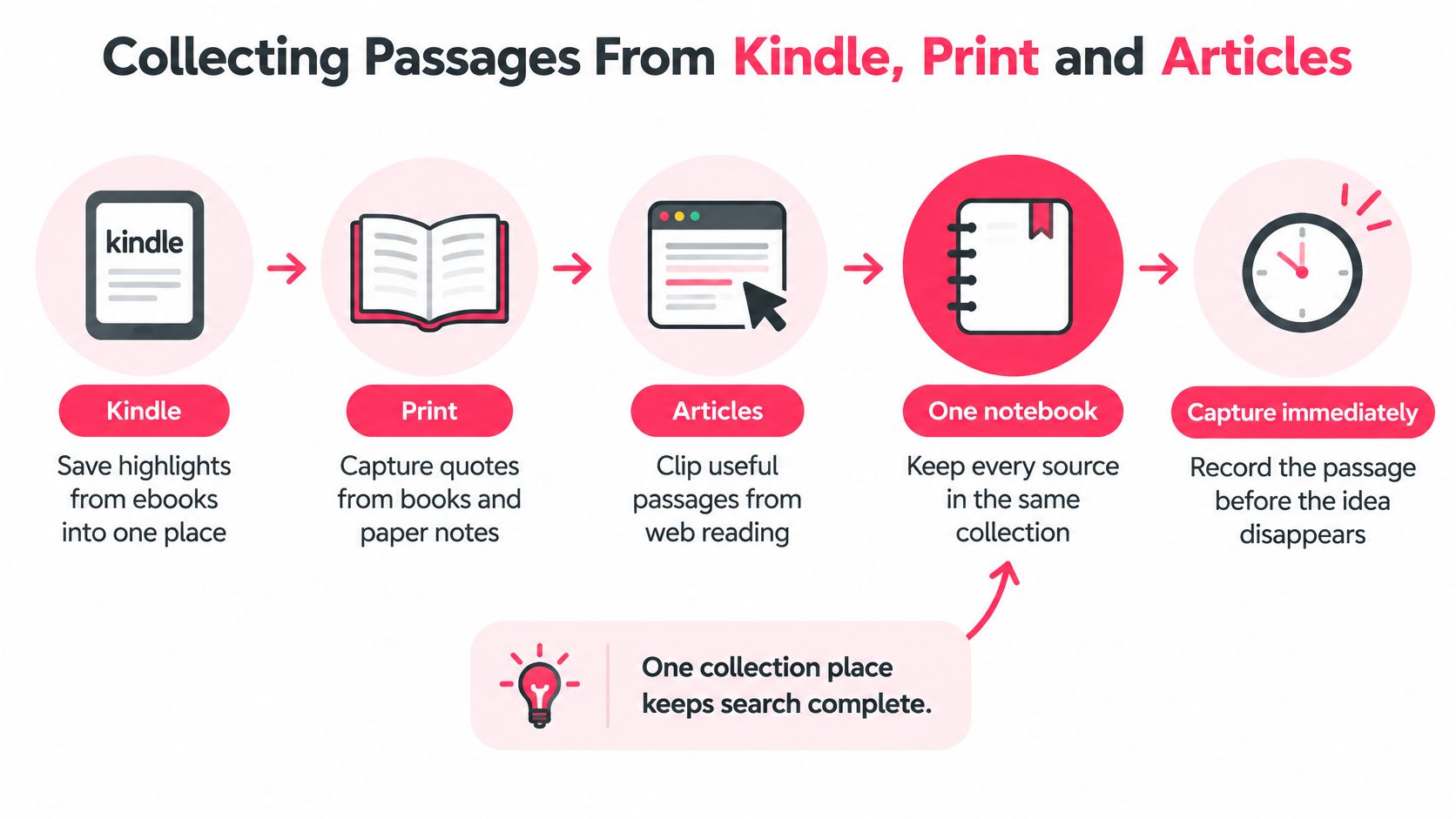
The order matters: capture, trim to the key sentence, check the source, add your note, save. When you edit a highlight on the device and re-import, merge the two versions into one entry. Storing both gives you a duplicate that will show up twice in review and teach you nothing extra.
How to Revisit Ideas on a Review Schedule
You don't reopen the book. You reopen five to ten entries, and the session takes about two minutes.
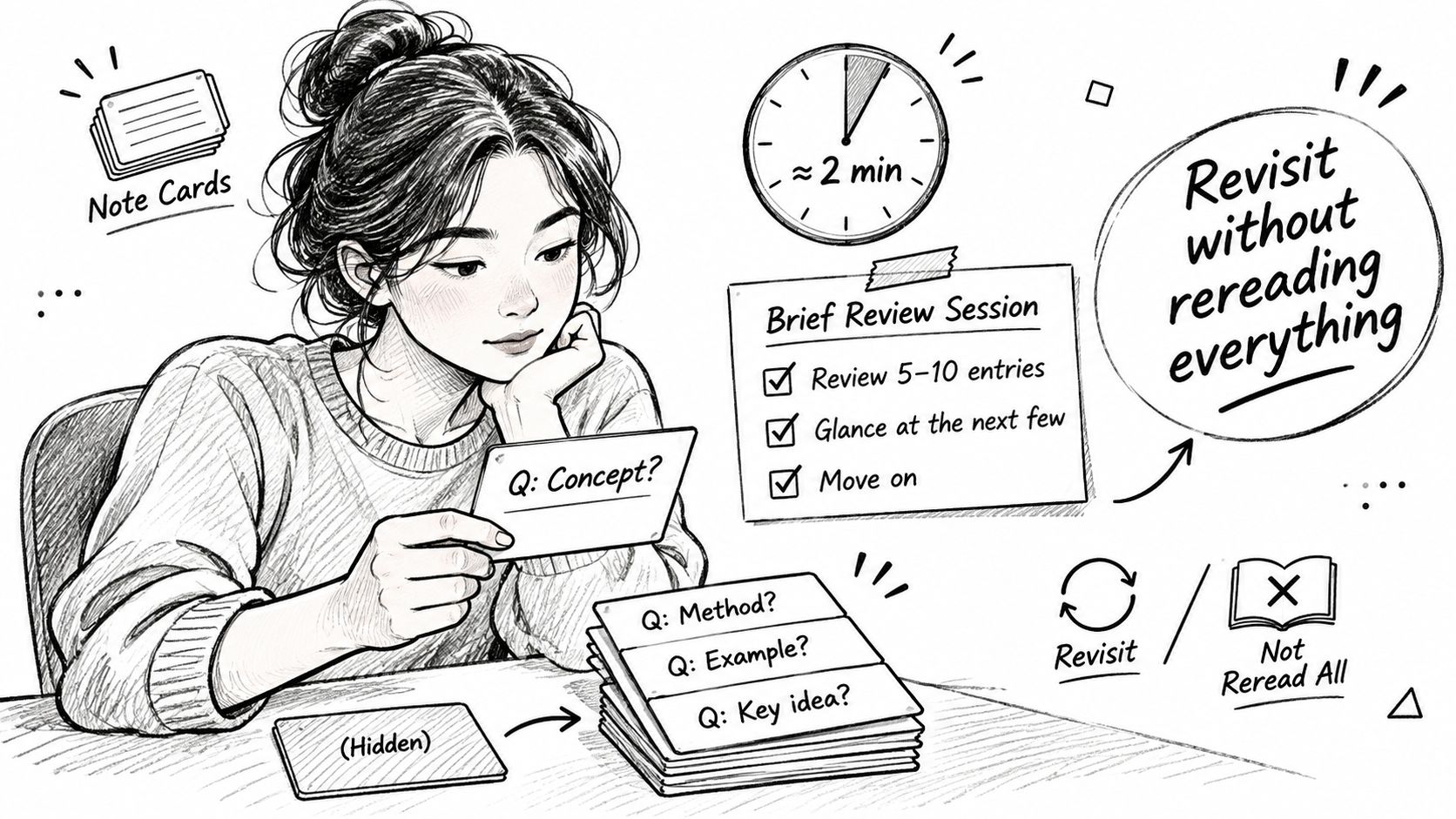
A two-minute session
- Hide your note and show only the passage. Most review tools let you collapse the note field. If yours doesn't, cover it with your hand.
- Recall the idea in one sentence before you look at anything else. Say it out loud or type it. The attempt is the part that builds memory, even when it fails.
- Uncover your note and compare. Look for the difference between what you produced and what you wrote, not just whether they feel similar.
- Explain it in your own words as if to a friend who hasn't read the book. If you can only repeat the author's phrasing, you've memorized a sentence rather than learned an idea.
- Name one real place it applies this week. A meeting, a conversation, a draft, a decision about your own schedule.
- Rate it. Keep it in rotation, or retire it once you've recalled it easily twice.
Recognizing a line is not the same as producing it. Count an entry as known only when you can recall it with no prompts.
That distinction is where most review habits break. Rereading your own note feels fluent, and fluency reads as knowledge. It isn't. The moment you look at the answer first, you've turned a recall test into a reading exercise.
Intervals that stretch
These are starting points, not fixed rules. Adjust them by how the recall felt.
| Review stage | Interval after saving | Action | Retire when |
|---|---|---|---|
| First review | 1 day | Recall the idea, then check your note | Not yet, keep going |
| Second review | 3 days | Recall and explain it in your own words | Not yet, keep going |
| Third review | 1 week | Name a real use case for the idea | Recalled easily twice |
| Fourth review | 3 weeks | Apply it once or confirm it is still used | Applied and recalled easily |
| Fifth review | 2 months | Test recall with no prompts | Recalled without prompts |
Shorten the next interval after a miss. Lengthen it after an easy recall. An entry you stumbled on at one week comes back in two days, not three weeks, and an entry you explained cleanly can skip ahead. Tools built around spaced repetition handle the arithmetic so you're only judging how the recall felt.
If you can't recall an entry at all, don't reread it. Rewrite your note in simpler words, cut it to one sentence, and review it again tomorrow. A note you can't recall is usually a note written in language you don't use.
Retrieval at decision time
The schedule keeps ideas alive. Real use is what makes them worth keeping. When a choice comes up, search the notebook by use case or tag before you decide, and read the three or four entries that match. Walking into a salary conversation after pulling everything you've saved under negotiation is a different act from remembering that you once read a book about it.
Common Mistakes That Turn a Notebook Into an Archive
A large searchable collection isn't learning. A major review of study techniques summarized in educational guidance rates highlighting and rereading as low-utility, while practice testing and distributed practice rate high, and a review of digital reading and highlighting in the Journal of Computer Assisted Learning finds that highlighting alone isn't reliably effective, since the benefit depends on what readers select and whether they reflect on it.
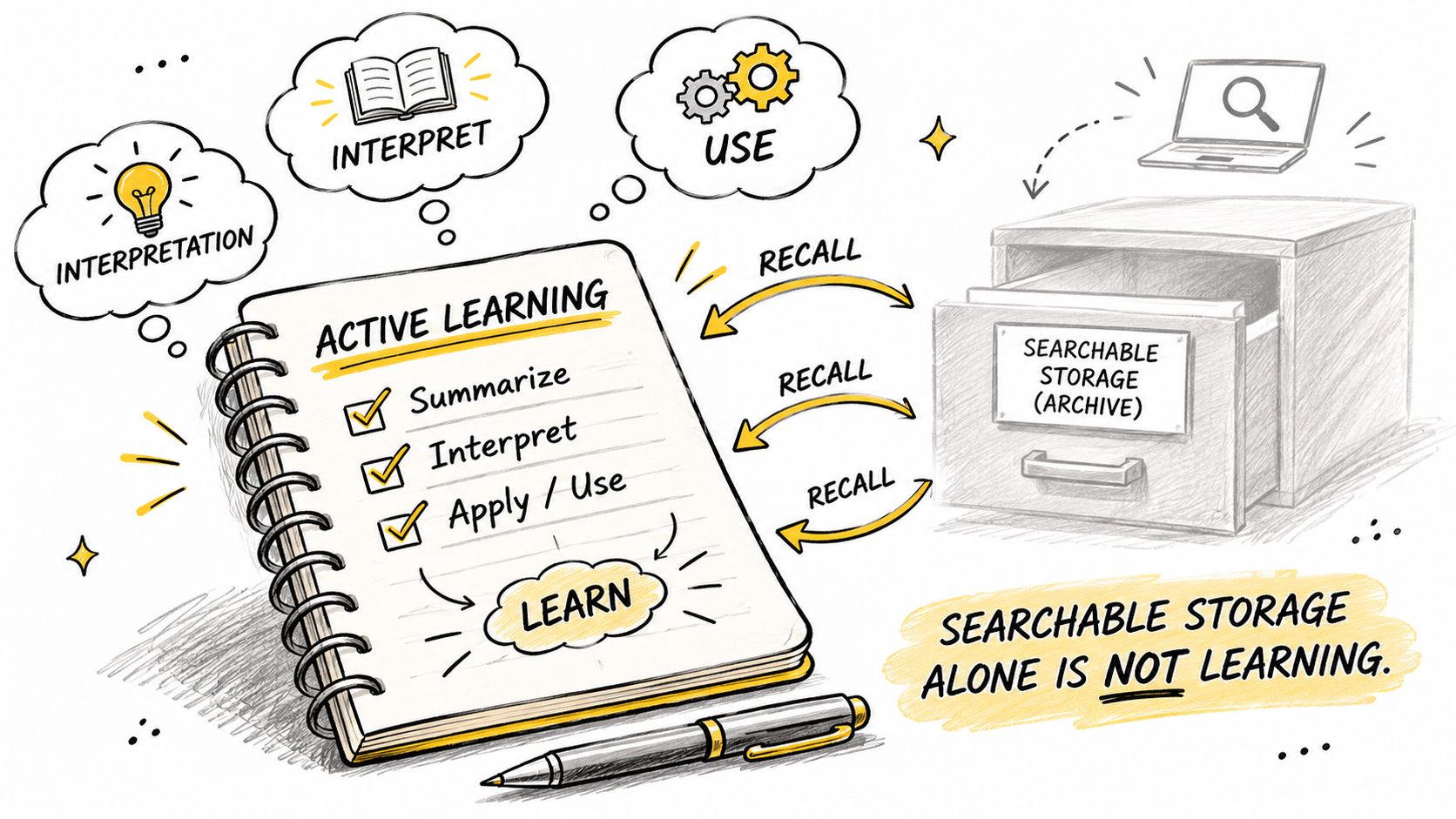
Four habits produce an archive nobody opens:
- Collecting everything. Fix it with the selection rule: save only what you'd argue with, use, or explain to someone.
- Endless tagging. Two hundred tags means you can't remember which one you used. Fix it with the fixed list.
- Quoting without explaining. This feels productive and costs nothing. Require one sentence of your own before an entry is saved.
- Reviewing without recall. Rereading familiar entries is comfortable and useless. Hide the note first.
Some material works differently. With fiction you're saving lines for language, mood or scene, and the use case is a piece of writing rather than a decision. Study material takes an exam or problem set as its use case. Book clubs can keep a discussion question beside each passage, which turns a quote into something a group can argue about. If you're drafting an actual message from a saved idea, these message structure tips for HOA boards show how one clear ask keeps a note usable in real correspondence.
One rule for stuck entries: if you haven't recalled an entry after three reviews, rewrite the note instead of rereading it.
Choose Your Setup and Start This Week
Choose by how many sources you read and whether you want reviews arriving on your phone.
- A plain notes app works if you read a few books a year, mostly in print. One document, headings for topics, search as the index.
- A spreadsheet or a Markdown folder suits writers who want full control of the six fields and plan to query their notes later.
- A dedicated highlight app with review built in suits Kindle readers with a lot of highlights and no appetite for manual scheduling.
Quotabl fits the third group. It's an app for iPhone and Android that syncs Kindle highlights in about a minute, imports My Clippings.txt for books you added to Kindle yourself, and brings a few passages back in a two-minute Daily Review. You can export the whole library as Markdown with one section per book, so the notebook leaves with you if you change tools.
If paper still helps you think, a writing notebook collection is worth a look for drafting, with the digital notebook holding the searchable copy.
Your first week: day one, write the six fields and your tag list. Days two to five, capture ten passages from the book you're reading now. Day seven, run your first review. One book, not your whole library.
Quotabl gathers your Kindle highlights, scanned pages from paper books, and pasted passages into one searchable library, then returns a few of them each day in a two-minute review so the ideas you saved come back to you. If your highlights are sitting unread in a notebook you never open, that daily return is the missing half of the method. Visit Quotabl to connect your Kindle and run your first review this week.

Written by
The Quotabl team
Makers of Quotabl
We make Quotabl, the app that syncs your Kindle highlights and brings them back with a daily review, a Home Screen widget and Margo, a reading companion. We write about reading, remembering what you read, and getting more out of your highlights.