
Reading Reminder App: How It Helps You Remember Books
The Quotabl team · · 13 min read
You closed a good nonfiction book a few weeks ago. There are highlights in it, a dozen or fifty, and you haven't seen a single one since. The reader app will show them to you if you go digging through menus, and you don't.
That gap between saving a passage and using it is the problem a reading reminder app exists to close. It stores the lines you marked in books, articles and paper pages, then puts them back in front of you on a schedule, so the ideas get reviewed instead of archived. The first setup takes a few minutes. Everything after that is a decision about frequency.
Most readers get the collection part right and the return part wrong. They export, they tidy, they feel organized for a week. What they never build is a loop that brings a passage back at the moment it's about to slip. Here's how that loop works, what the numbers behind it say, and how to set one up without turning your phone into another source of noise.
Table of Contents
- Reading Reminder Apps at a Glance
- Why Saved Highlights Fade and How Resurfacing Helps
- Getting Every Highlight Into One Reminder Library
- How the Daily Review Loop Keeps Ideas in Circulation
- Set Reminder Frequency Without Overload
- Three Readers and How Each Sets Up Reminders
- Pick Your Reminder Setup and Test It for Two Weeks
Reading Reminder Apps at a Glance
Say you finish a 300-page business book and highlight twenty passages. Three are useful: a pricing framework, a line about hiring, a story about a failed launch. The other seventeen felt important at the time. None of the twenty come back on their own.
A reading reminder app holds those passages and returns them at intervals, so review happens by default rather than by discipline. Quotabl is an app for iPhone and Android that syncs Kindle highlights and brings them back in a two-minute daily review, a Home Screen quote and reminders.
The formats below do different jobs. Pick the one that matches what you want from your highlights.
| Reminder type | What it brings back | Cadence | Best fit |
|---|---|---|---|
| Daily Review | A few saved highlights on a spaced schedule | About two minutes a day | Nonfiction readers who want ideas to stick |
| iPhone widget | A different library highlight every few hours | Refreshes through the day, in the background | Readers who want background exposure without extra prompts |
| Scheduled notification | Highlights at a time and frequency the reader chooses | Set by the reader | Habit builders who read at fixed times |
| Margo recap or quiz | Recaps, quizzes and themes built from saved passages | On demand | Students and book club members preparing for discussion |
The Daily Review is the workhorse. It asks for a small, repeatable commitment and it feeds on decisions you make about which passages matter. The widget is the opposite: zero decisions, ambient exposure, a new line from your library appearing on your Home Screen as you pick up the phone. Notifications sit in between, because you choose the hour they arrive.
Margo is Quotabl's reading companion, a friendly cat who can answer what you keep coming back to, recap a book, quiz you and suggest what to read next. That's the format for a purpose, not a daily habit. You reach for it before a seminar or a book club meeting.
Selection rule: Choose one primary format and give it two weeks. Add a second only if the first one gets ignored.
If you want to see how iOS handles scheduling across other reminder apps before you commit, Pretty Progress's picks for iPhone reminders is a useful reference for how these prompts behave once the app is closed.
The rest of this guide covers why highlights fade, how the timing works, how to get every source into one library, how to set frequency without overload, and how to test whether any of it is working.
Why Saved Highlights Fade and How Resurfacing Helps
Hermann Ebbinghaus ran memory experiments from 1880 to 1885 and published them in 1885 in Über das Gedächtnis, later translated as Memory: A Contribution to Experimental Psychology. He measured savings, the share of study time saved when relearning material compared with the original session. Savings works like a discount on effort: if relearning a list takes half the time the first study session took, the saving is 50%. The savings figures below are Ebbinghaus's 1885 measurements as reported in a later review of the forgetting curve.
| Time since first study | Savings on relearning | Suggested review |
|---|---|---|
| 20 minutes | 58% | Same-session check while the passage is fresh |
| 1 hour | 44% | Review later the same day |
| 9 hours | 36% | Evening review |
| 1 day | 34% | Next-morning review |
| 2 days | 28% | Two-day check |
| 6 days | 25% | One-week review |
| 31 days | 21% | Monthly review |
Read the first two rows together. The steepest drop in the whole table happens inside the first hour: savings falls from 58% to 44%, so more than a fifth of the relearning advantage disappears in that single stretch. By the next day the figure sits at 34%, which leaves about three-fifths of the original savings still standing. Decay is fast early, then it levels off.
These numbers do not mean that exactly those percentages of facts were consciously remembered. They describe how much relearning effort was avoided, which is a subtler and more useful measure. The practical lesson is about where the drop is steepest: the first hour after reading is when a highlight loses the most ground, which is why early reviews earn their place and later ones can stretch out.
A caveat belongs right here beside the table, because the 1885 curve gets quoted far too confidently. A 2015 replication and analysis of Ebbinghaus's original curve describes savings as the relative amount of time saved on a second learning trial, and later scholarship treats the curve as the output of one specific experimental method rather than a universal law of human memory. Reminder schedules are design choices informed by a pattern, not fixed rules handed down from a laboratory in 1885.
Practical rule: Review a new highlight the same day, again the next day, then after a longer gap. Notice whether the passage still feels familiar when you come back to it.
Resurfacing works because it forces retrieval rather than recognition. Seeing a familiar line in a notebook feels like remembering, but nothing is being reconstructed. A memory-based study habit for lifelong learners explains why attempting to recall a passage before you reopen it does more for retention than rereading it. The same logic applies here.
This is also why a review schedule is something you can control rather than something fixed. The curve gives the pattern, and your choices give the intervals: highlights you keep during a review come back on a growing schedule, while the ones you drop appear less often. The reminder is the intervention, and the schedule follows what you decide is worth keeping. If you want to see the shape of that decay for your own reading pace, a forgetting curve plotted against review intervals shows where the early reviews do the most work.
Getting Every Highlight Into One Reminder Library
Highlights arrive from four or five places, and each one carries its own limit. The table below is the honest version.
| Source | How it reaches the library | Main limit |
|---|---|---|
| Amazon-purchased Kindle book | Kindle sync from the Amazon notebook | Covers books bought from Amazon only |
| Sideloaded or emailed Kindle document | My Clippings.txt import from the Kindle | File must be copied off the device over USB |
| Printed book | Scan a page with the phone camera | Tap the lines you want after recognition |
| Article or other ebook app | Paste or type the passage | One passage at a time |
| Whole library | Markdown export, one section per book | Output only, for moving data elsewhere |
The first row is where most readers start and stop. Kindle sync pulls titles, highlights and notes from your Amazon notebook, usually in under a minute. It also has a blind spot that surprises people: a comparison of Kindle export routes notes that Amazon's Notebook can omit highlights because publishers impose export limits, while My Clippings.txt may preserve more device-level history. A cloud notebook is not automatically the more complete archive.
The My Clippings.txt route, step by step
This file is a plain text log that the Kindle appends to every time you highlight or add a note. Quotabl can import it from any Kindle e-reader, merging duplicate highlights and keeping notes attached to their passages.
- Connect the Kindle by USB and open it on your computer.
- Open the documents folder.
- Copy
My Clippings.txtrather than moving it, because the device keeps adding to the original file. - Eject the device properly before unplugging it, so nothing is lost mid-write.
After each import, check the library to confirm that the titles you expected are there.
Printed books take longer, but the mechanism is simple. You scan a page with the phone camera, tap the lines you want, and text recognition runs on the phone. Articles and passages from other ebook apps get typed or pasted in, one at a time. Slow input sounds like a drawback until you remember that every route feeds the same queue. The highlight you laboriously tapped out from a paperback gets reviewed on the same schedule as one that synced itself.
That is the payoff of consolidation: one library means one review loop, and the resurfacing schedule follows the passages you decide to keep rather than the app they came from.
Build the library in order: Kindle sync for Amazon purchases, clippings for sideloaded files, then paper scanning. Check the library after each pass, and export a Markdown backup before you change apps. The Kindle highlight export guide walks through the file handling in more detail if a step fails.
How the Daily Review Loop Keeps Ideas in Circulation
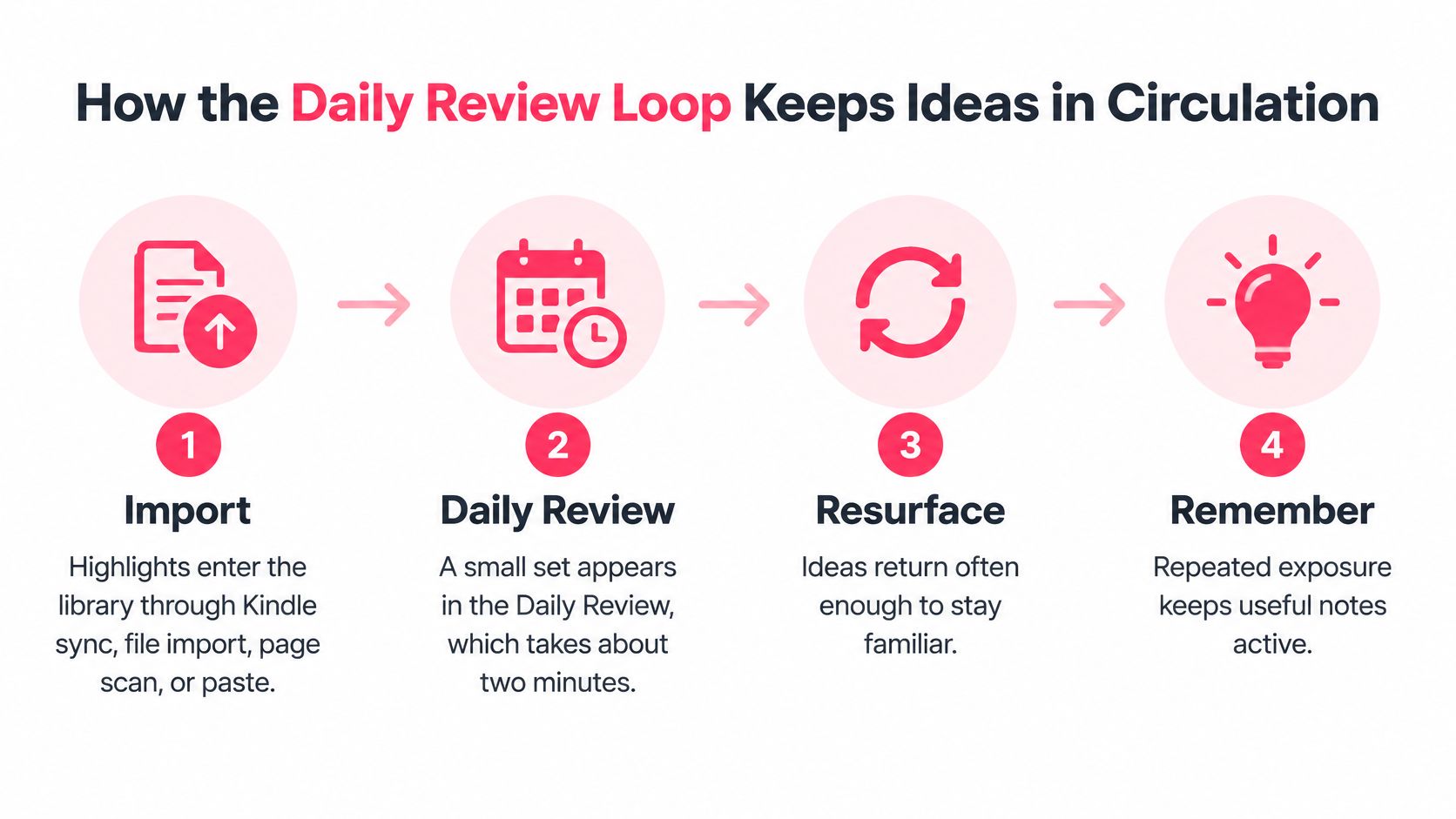
A review system is four stages, and most of them run without your attention once the first is done.
- Import. Highlights enter the library through a Kindle sync, a file import, a page scan or a paste.
- Daily Review. A few highlights surface at a time, and the session takes about two minutes.
- Keep or release. You decide which passages still matter.
- Resurface. Kept passages return on a growing schedule, while the ones you let go appear less often.
The third stage is the one that makes the loop work, and it's the one readers rush. A highlight you keep enters a longer rotation. A highlight you release fades from the queue. Neither decision is permanent, but both shape what you meet next month.
Here's the pattern that separates a working loop from an abandoned one. Take a reader who finishes a business book with 40 highlights. On the first pass they keep 8. Those 8 come back over the following weeks while the other 32 stop competing for attention. If they had kept all 40, the review would feel like homework by Thursday, and they'd stop opening it.
Test before you keep: Say the idea in your own words before you open the passage. If you can't, the passage may be worth keeping. If you can, ask whether you could actually use it.
That second question does the filtering. A line you can restate and can't apply is a line you're collecting rather than learning.
Between sessions, widgets and reminders add exposure without a full reread. A quote on the Lock Screen does nothing dramatic. Over a month it means you've met the same idea fifteen times instead of once.
Signs the loop is working are quiet. Passages stop feeling new when they appear. You start linking a line from one book to a chapter in another. The guide to remembering what you read covers the retrieval side of this habit in more depth.
Set Reminder Frequency Without Overload
Frequency is the setting people get wrong in both directions. Too few prompts and the loop never starts. Too many and the prompts become wallpaper.
Six steps, each with the reason it earns its place.
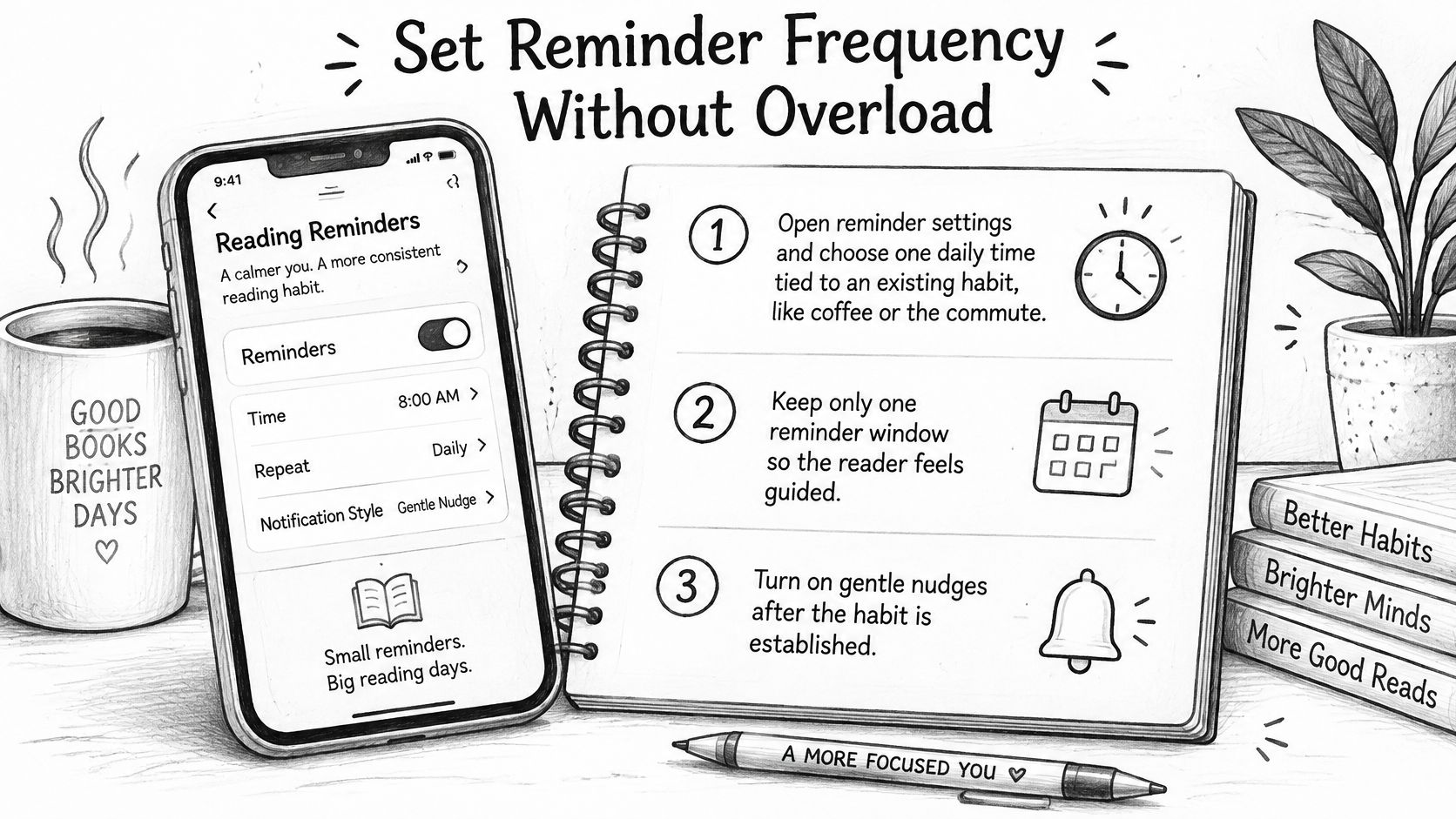
- Attach the reminder to an existing habit. Pick one daily time that already has a trigger, like the first coffee or the start of a commute, because a prompt riding on an established routine survives longer than one floating in the afternoon.
- Start at one or two notifications a day for the first two weeks. You're judging the frequency on a small sample, and a small sample is enough to tell you whether it's welcome.
- Turn on the Daily Review reminder and leave other prompts off. You can always add. Removing a prompt you've come to depend on feels like a loss, and readers rarely do it.
- Add the iPhone Home Screen or Lock Screen widget only if you want passive exposure. Skip it if notifications already feel like a lot, since the widget is a second channel competing for the same attention.
- Use the device's own settings for quiet hours or to switch push notifications off entirely. Every reminder app respects the system layer, and it's the fastest mute you have.
- After a week, count the reminders you dismissed without opening. If most of them were dismissed, the answer is fewer prompts, not more.
Why more prompts don't equal more remembering
A reminder that doesn't lead to reading or review trains you to swipe it away. Once that reflex forms, the prompt is doing negative work: it's teaching you that your reading notes are something to dismiss.
Research on digital reading points the same way. In a study of digital reading challenges, notification and advertising distractions affected roughly 30 to 32 percent of surveyed students, eye strain affected 28 to 30 percent, and internet dependence affected 18 to 20 percent, while many students still preferred print for deeper comprehension and longer sessions. A reading tool that adds interruptions is pushing against the same current.
Pause prompts during a focused session rather than letting them interrupt it. The reminder should support reading, not compete with it.
Three Readers and How Each Sets Up Reminders
The same app, three different setups. Notice how much each reader left out.
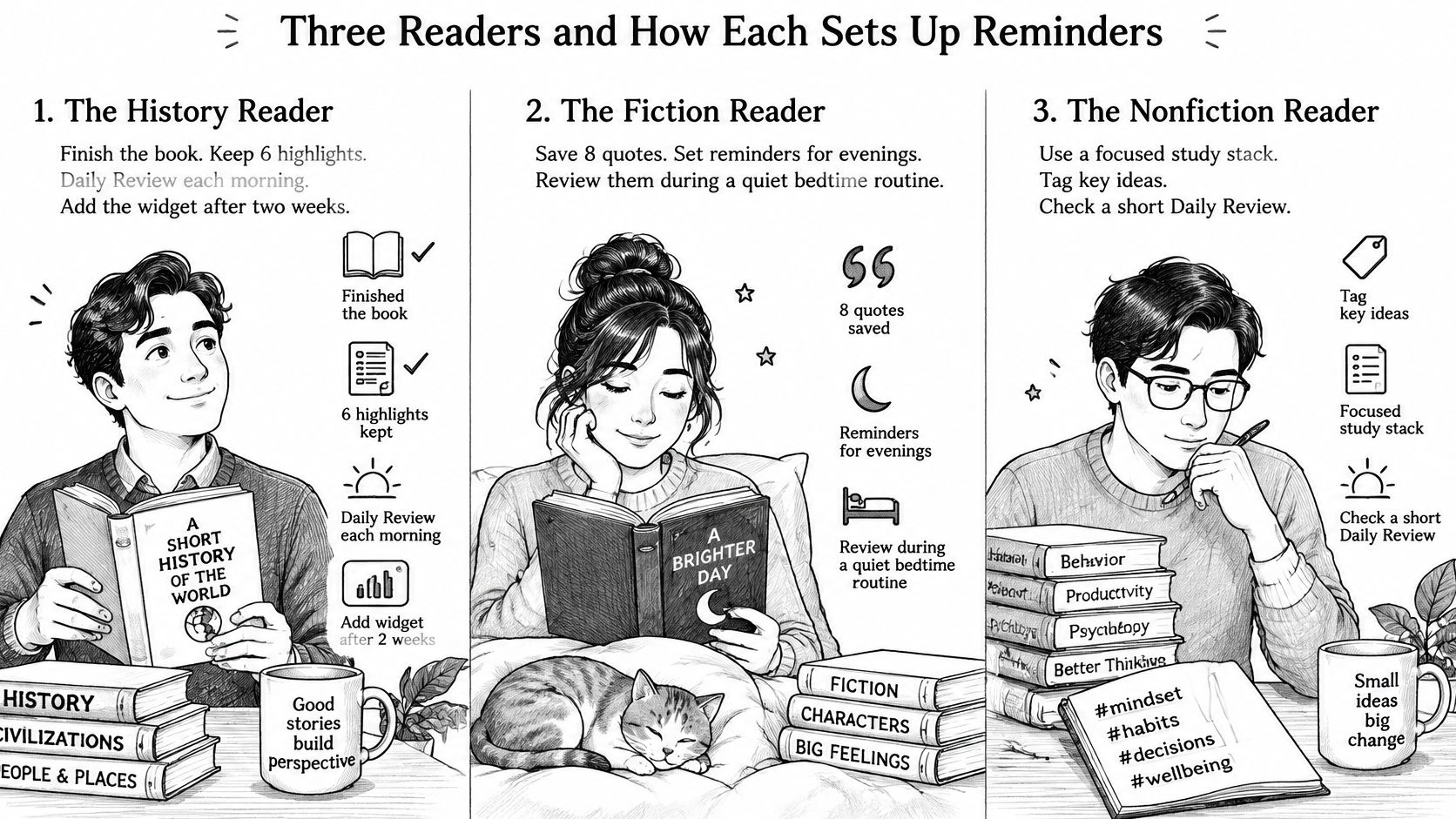
The history reader. She finishes a 600-page narrative history and keeps six highlights, the ones about how supply lines decided a campaign. Her setup is the Daily Review every morning at 7:40, right after she fills the kettle. She dropped the widget entirely and never turned on notifications, because the morning review already fits inside a routine she keeps. A month later she can still describe two of the six arguments without opening the book.
The student. He's revising a nonfiction text for an exam and needs to be tested, not reminded. His setup is the Daily Review plus a request to Margo for a quiz built from the passages he saved, which means the questions reflect what he marked rather than a generic chapter summary. He dropped the notification stream during exam week and kept only the review, because a prompt mid-revision was interrupting more than it helped.
The book club member. She reads four or five books per cycle and needs themes, not individual lines. Her setup is full-text search before each meeting, a request to Margo about recurring ideas across the club's books, and a Markdown export she shares with the group. She dropped daily review entirely. Her use of the library is bursty, and a daily prompt would have been noise.
The best setup is the one you're still using in week four.
A reader who skips the widget still gets the full benefit of the review. A reader who skips notifications but keeps the Home Screen quote still meets an idea every time they open their device. Nothing here requires the complete feature set.
Pick Your Reminder Setup and Test It for Two Weeks
Three questions narrow the choice faster than any feature comparison.
Which books do you read? If most of your reading is bought from Amazon, Kindle sync is your starting point. If it's sideloaded files, clippings import comes first. If it's paper, plan for scanning sessions rather than a one-time setup.
What do you want from your highlights? Memory, exam performance and discussion preparation pull toward different formats. The Daily Review serves memory. A quiz serves study. Search and recaps serve discussion.
How much interruption will you tolerate? Answer sincerely, not aspirationally. Readers who dislike prompts should start with the review alone and skip the notification stream for now.
The default for most nonfiction readers with Amazon books is Kindle sync plus the Daily Review, one morning, no other prompts. Students add Margo's quizzes once the review habit holds. Anyone who finds prompts irritating runs the review alone and adds nothing.
This week: connect your main source, set one daily time, and export a Markdown backup before you change anything else. That backup is your escape hatch if you move to another app.
What to track for fourteen days
Three numbers, recorded roughly rather than precisely.
- Days opened. Out of fourteen, how many days did you open the review? Ten or more means the habit is holding.
- Passages recalled. How many saved ideas did you recall without looking them up? This is the number the whole exercise is for.
- One use. Did you apply a passage in a conversation, a note, a decision or a piece of writing? One use in two weeks is a real result.
If all three stay flat, reduce the reminders before adding anything. A quieter setup you keep beats an ambitious one you mute.
Then run a practical check. Search the library by full text for a passage you saved months ago and confirm it returns with its note attached. Full-text search covers every highlight and note, and the Markdown export carries your own notes and favorites with it, so nothing depends on staying in one app forever.
Quotabl connects to your Kindle notebook, imports My Clippings.txt from any e-reader, and lets you scan paper pages with your phone camera, so every source lands in one searchable library. From there, a two-minute Daily Review brings highlights back on a schedule that follows what you choose to keep, with optional reminders at the time and frequency you set. Try it for two weeks and watch whether the passages you marked last month still feel familiar when they return. Visit Quotabl to set up your first review.

Written by
The Quotabl team
Makers of Quotabl
We make Quotabl, the app that syncs your Kindle highlights and brings them back with a daily review, a Home Screen widget and Margo, a reading companion. We write about reading, remembering what you read, and getting more out of your highlights.