
The Best Apps for Readers in 2026: Track, Read, Remember
The Quotabl team · · 14 min read
Search for the best apps for readers and you'll get a ranked list with one winner at the top. That framing breaks down for anyone who finishes more than a dozen books a year. No app reads well, logs reliably, and brings your marked passages back months later. The readers who get the most out of their libraries run two or three tools, each doing one job.
The formats are stacking. A 2025 New Zealand survey found readers using a combination of print, ebooks, and audiobooks rose from 24% in 2021 to 34% in 2025, according to the National Reading Survey 2025 report. Tools built for one format have less to work with every year.
Three roles cover almost everything. Where you read: Kindle, Apple Books, Libby, or paper and a pencil. What you log: Goodreads, StoryGraph, Bookly, Bookmory, Literal. What you keep: a highlight manager that holds the passages themselves and puts them back in front of you.
That distinction is the one worth holding onto. A tracker records that you finished a book in March and gave it four stars. A highlight manager keeps the sentence that made you stop reading and shows it to you again in June. One builds a habit, the other builds a memory.
The ten apps below are judged by how they earn a place in a working stack, not by beating each other in a ranking. Each entry names the role it fills and the point where it stops being useful.
Table of Contents
- 1. Quotabl
- 2. Amazon Kindle
- 3. Apple Books
- 4. Libby
- 5. Readwise Reader
- 6. Goodreads
- 7. The StoryGraph
- 8. Bookmory
- 9. Bookly
- 10. Literal
- Every app at a glance
- Building a Reading Stack That Actually Sticks
1. Quotabl
Quotabl takes the third job and nothing else. It doesn't sell books and it won't track a yearly goal, so it has no reason to compete with the app you read in. It exists to hold the passages you marked and put them back in front of you.
Import is what decides whether a highlight manager survives week two. Connecting a Kindle pulls in your books, highlights and notes, usually in under a minute, and the My Clippings.txt file from any Kindle e-reader catches what the notebook leaves out, merging duplicates and keeping your notes. Kindle does allow annotation of sideloaded personal documents, with Amazon's supported-file documentation listing PDF, EPUB, DOC, DOCX, HTML, RTF and TXT, but those annotations don't reliably reach the online notebook. A camera scan covers printed pages; pasting covers articles and other ebook apps.
What the Daily Review Actually Does
Daily Review shows a few highlights at a time and takes about two minutes, on a schedule that widens as passages stick. The mechanics matter: recalling an item during review changes its estimated forgetting rate, which is the entire argument for resurfacing a passage at growing intervals instead of once (review of spaced repetition research).
The payoff isn't subtle. Across 272 comparisons from 118 studies, practice testing beat rereading with an effect of g = 0.51, and one experiment saw the advantage flip from 75% against 68% at five minutes to 56% against 42% after a week (summary of spacing and retrieval research).
The rest of the toolkit: full-text search across every highlight and note, favorites, your own notes, account backup, and a Markdown export of the whole library with one section per book. Margo, the reading companion, recaps a book from your highlights, explores recurring themes, quizzes you, and points answers back at your saved passages. Quote cards come in five designs, square or story format, and Discover serves curated highlights by category.
Two limits are worth stating plainly. Home Screen and Lock Screen widgets are iPhone only, while Kindle sync, Daily Review, reminders, quote cards and Margo run on both iPhone and Android. Publisher export caps can also hide some highlights from Amazon's notebook, which is exactly where the clippings import earns its keep. Kindle sync covers 13 Amazon stores, sign-in happens on Amazon's own page, and Quotabl reads only notebook content. Codes from cafés, book clubs and creators take 20% off. More at quotabl.app.
2. Amazon Kindle
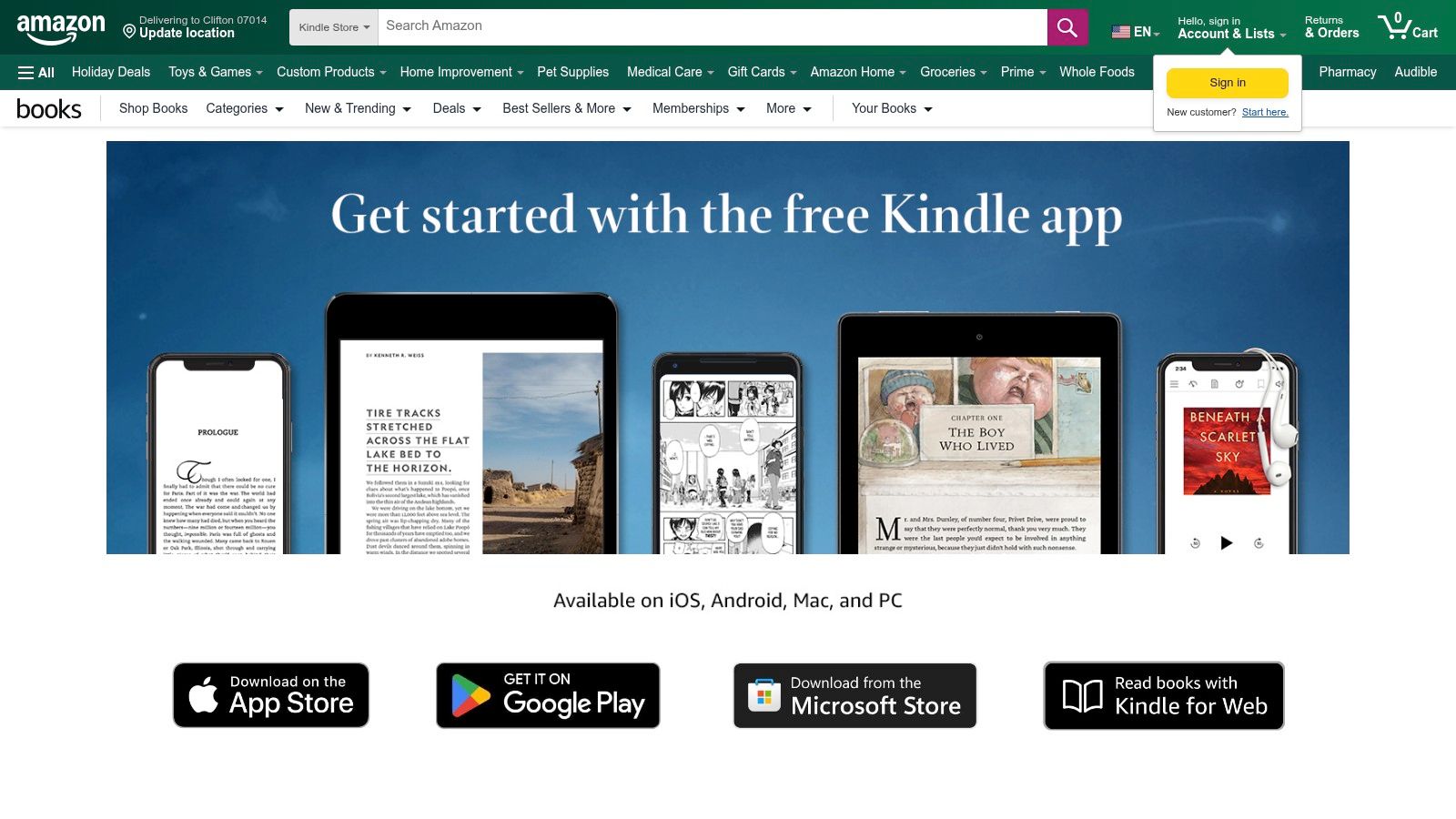
Print still dominates in the United States. Pew Research Center reports that 64% of U.S. adults read a print book in 2025, compared with 31% who read an e-book and 26% who listened to an audiobook, on its chart of print, e-book and audiobook use. Kindle owns the e-book role for most heavy highlighters, and the app runs on phones and tablets without a Kindle device.
Highlighting is fast to the point of being invisible: select, drag, done, synced across every device you own. The friction arrives afterwards. Amazon's Kindle user guide notes that a device file called My Clippings holds notes, bookmarks, highlights and clipped articles, and that cloud annotation backup protects those items if the device changes or fails. That file is a separate source from the notebook, not a duplicate of it.
Check My Clippings.txt before you re-read a page hunting for a highlight that has gone missing.
Where Kindle stops is memory. Nothing in the app resurfaces a passage from a book you finished two years ago, and paper annotations never enter the system at all. Use the guide to exporting Kindle highlights when you want the marked passages out of the ecosystem and into something that will show them to you again, or just browse the Kindle app listing to start.
3. Apple Books
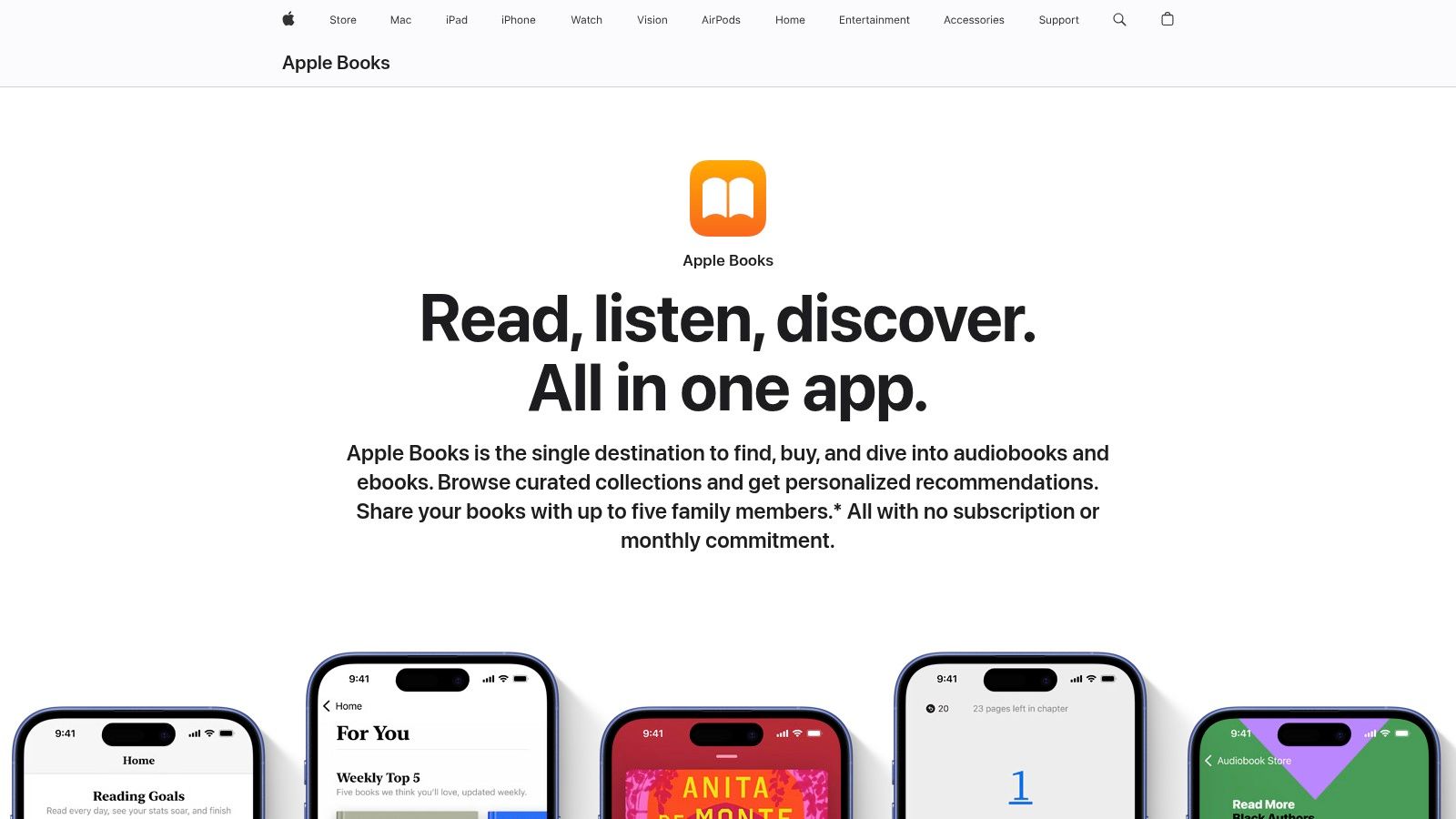
Apple Books is the zero-install option, already sitting on the iPhone, iPad or Mac you own. Highlight a passage, add a note, share a selection in one tap. For readers who mark a few lines per book, that is often the whole job.
Where it earns its place is the shelf nobody has to set up. Ebooks and audiobooks share one storefront, purchases follow your Apple ID across devices, and the annotation tools are good enough that plenty of readers never look for another app. Availability varies by country or region and prices vary by title, so the Apple Books page is the place to check what your store carries.
The limit shows up later. Each book keeps its own annotations, so a passage from a history title and one from a business book never sit side by side, and nothing from paper or other reading apps enters the system at all. Nothing resurfaces an old highlight either: no scheduled review, no reminders, no saved line coming back to you once the book is closed. If you read across devices and stores, treat Apple Books as the reader and keep the library elsewhere. Quotabl gathers Kindle highlights, scanned book pages and pasted text into one searchable library, then brings passages back through a two-minute daily review.
The test: open a book you finished last year and try to find the three passages that mattered without scrolling. If that takes more than a minute, the app is a reader, not a library.
4. Libby
The OverDrive network recorded 739.5 million ebook, audiobook and digital-magazine checkouts in 2024, up 17% year over year, with ebooks accounting for 366.2 million of those checkouts. Borrowing digitally is a parallel market running on library cards, and in a reading stack it fills one slot cleanly: where you read.
Libby is free in the way that matters. You borrow with a card from a participating library, read or listen inside the app, and the title goes back when the loan ends. Browsing a library's digital collection takes minutes, holds are handled for you, and the Libby app works on phones and tablets without a trip to the building.
Two constraints shape the role. Availability depends entirely on your library's catalog and lending rules, and popular titles queue for weeks. Borrowed books also leave the shelf when the loan ends, so anything you marked lives only as long as the checkout. Libby is a borrowing layer, not an archive.
Read the borrowed copy there when the selection is good. Capture anything worth keeping somewhere the loan can't reclaim it, and pair Libby with a paid store for new releases your library may not stock for a while.
5. Readwise Reader
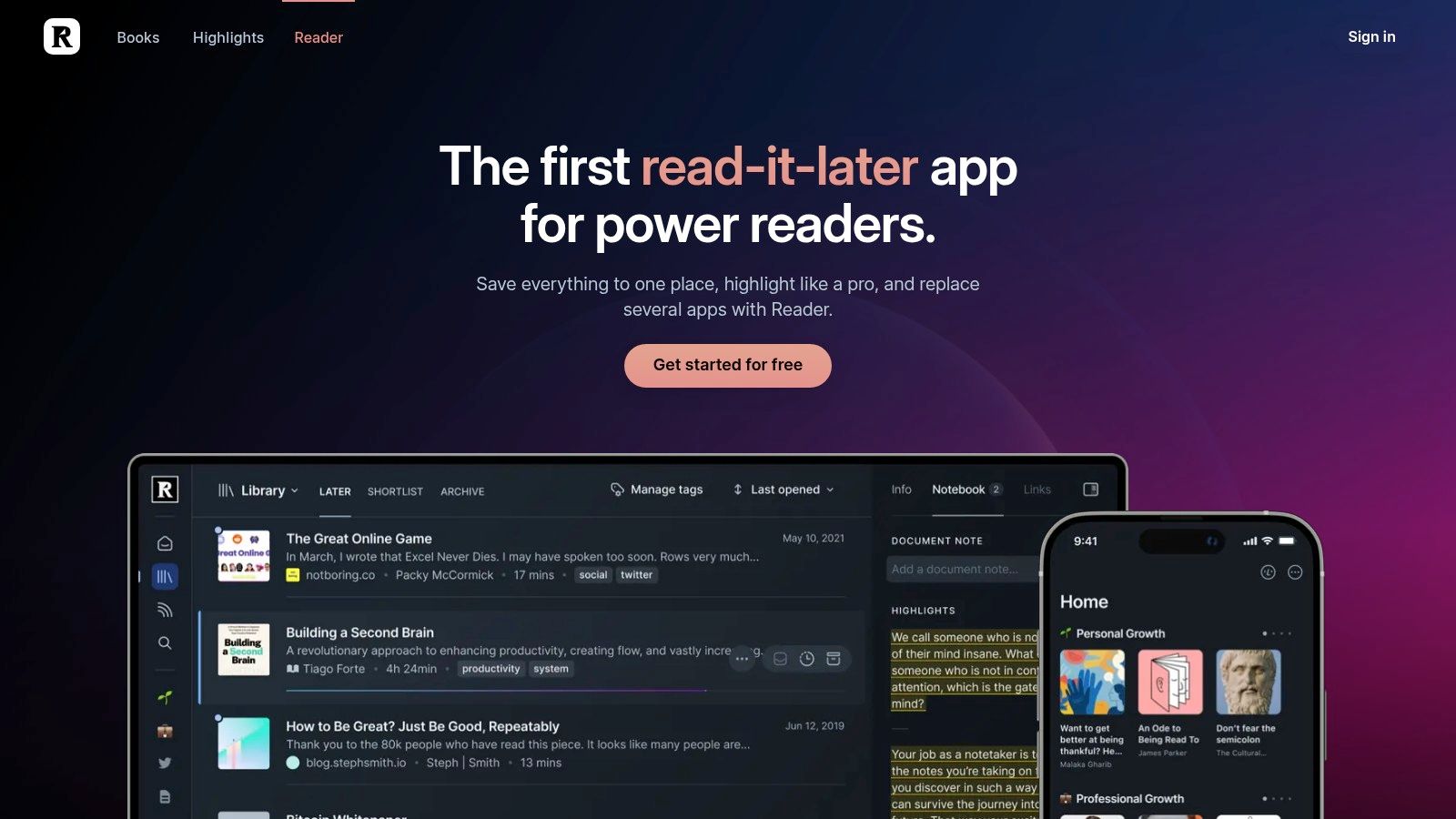
Reader is the inbox job in a reading stack: the place where everything you mean to read lands first.
For articles, PDFs and newsletters, it is the most capable tool here, and the price asks you to decide how much that's worth. The full Readwise plan, which includes Reader, is listed at $9.99 per month billed annually or $12.99 month-to-month after a 30-day trial, on the Readwise Reader page.
Save a page, read it in a clean view, highlight it, and the passage lands in searchable storage that syncs across mobile, web and desktop. Daily Review resurfaces older highlights, and exports push them into Notion, Obsidian and similar tools. For the knowledge-worker half of reading, long web pieces, PDFs and newsletters, this is serious software rather than a feature list.
The boundary to understand is books. Reader's strength is the documents you feed it. Kindle and other book highlights reach the same account through Readwise's separate highlight sync, so the plan really covers two jobs: a read-it-later app for the web and a pipeline for book notes. If most of your reading is books, weigh whether that arrangement earns the subscription, and anything that lives only in print still needs its own route in.
Compare it: read how Quotabl compares as a Readwise alternative before paying for a second home for the same highlights. Or build the receiving end yourself and find a free notes app that accepts Markdown before you commit.
6. Goodreads
Goodreads' Google Play listing reports more than 10 million Android downloads, a 4.6-star rating from approximately 227,000 ratings, and a claimed membership above 150 million readers. Those numbers tell you the catalog and the community are deep. They don't tell you the app is good at keeping ideas.
Three features carry it. Shelves for want-to-read, currently reading and finished. Ratings and reviews that feed a recommendation engine built on actual readers. And the yearly Reading Challenge, still the most effective habit device the app has, because a public number you don't want to abandon is stronger motivation than any streak counter.
It doesn't read books in-app, it doesn't hold your Kindle or paper highlights, and its charts are thin compared with what StoryGraph gives you. What it does well is the front-of-house record: what you read, when, and what you thought, with the mild social pressure that pushes some readers to finish.
Ask the shelf a question: what did I learn from this book six months ago? A star rating is the honest answer Goodreads can give.
That's not a flaw in the tracker. It's a different job, and a reader who wants retention keeps the passages somewhere else.
7. The StoryGraph
If Goodreads is a town square, StoryGraph is a notebook with charts. It tracks books, progress, goals and streaks, then shows the patterns underneath: what you read, how fast, and in what mood. Recommendations can key off mood and pace rather than genre alone, which is the closest any tracker gets to matching how a reader picks a next book.
Core features are free, and Plus is paid, with a $4.99 monthly option listed on The StoryGraph. Challenges, buddy reads, readalongs and book clubs sit alongside individual tracking, so a reader who wants structure gets it without opening a second app.
The Goodreads import is why many people switch. Shelves, ratings and history move across, so the change is a transfer rather than a rebuild, and the statistics start from your real reading past instead of zero.
It's still a tracker. StoryGraph won't open your ebook files, hold a highlight, or show you a passage you marked in 2023, and readers who want a busy social feed will find it quiet. Choose it for data and mood-based discovery, not for conversation.
8. Bookmory
Say you're reading a paperback and a paragraph stops you. Bookmory's answer is the camera: photograph the page, let OCR pull out the text, and keep it attached to the book record. For print-heavy readers that's a real bridge between paper and a digital log.
Beyond that it's a mobile tracker with a journal bolted on. Books, progress, goals and streaks, reading notes and favorite quotes, statistics and a calendar view of your reading history. Records export in formats including Markdown and Excel, which makes it one of the few trackers whose data you can take elsewhere.
The free version carries ads, and two of the more useful capabilities, automatic multi-device sync and unlimited OCR, are listed as Premium on Bookmory. It also won't read ebooks for you.
Use it as the log and the print-capture tool. The quotes you scan in will sit inside a book record waiting for a reason to be revisited, so unless you're content with that, plan where the retention work happens.
9. Bookly
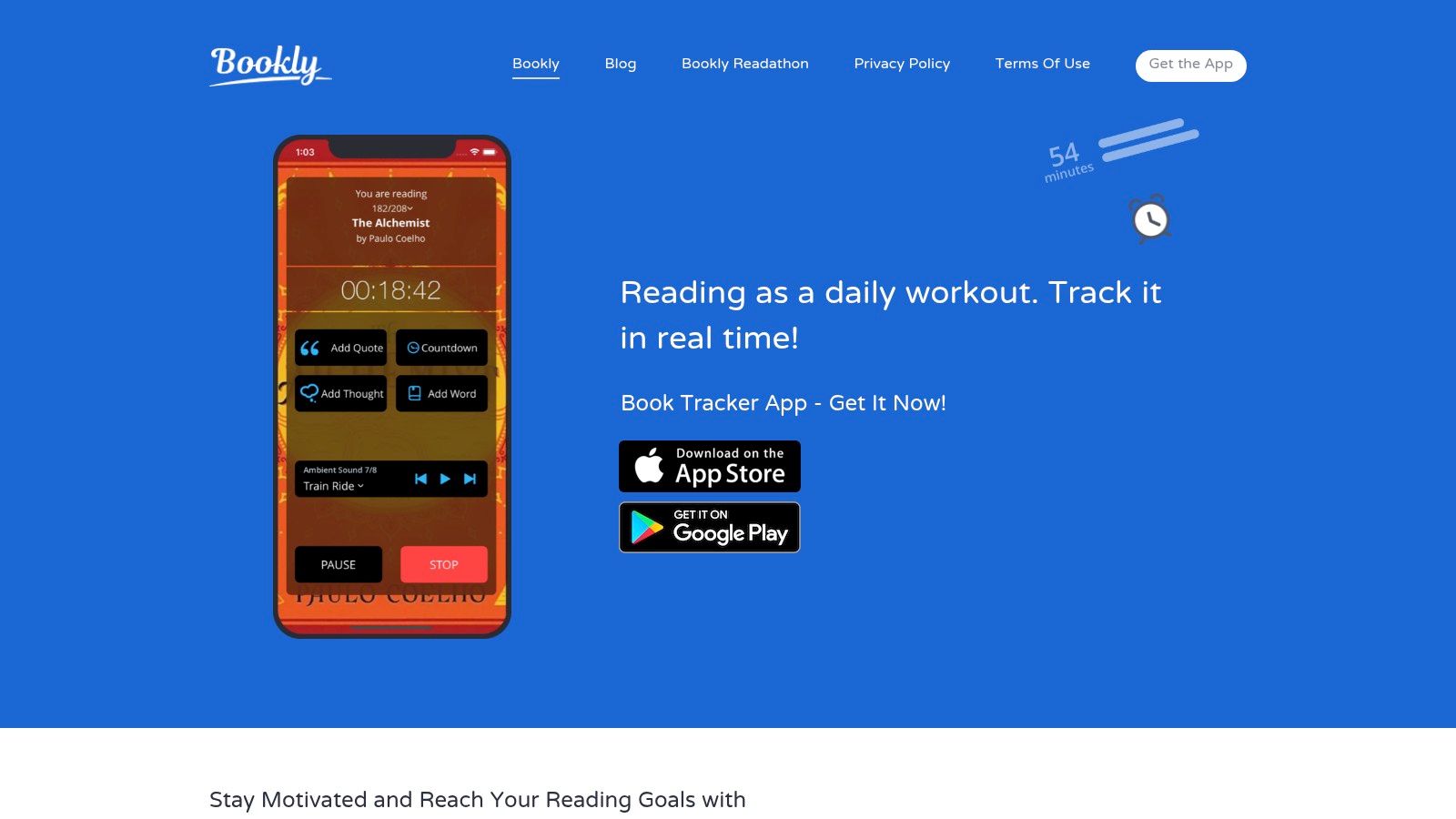
Bookly measures minutes, not titles. Start the timer, read, and the app records session length, page progress, reading speed, streaks and an estimated finish date. If your real problem is that you never sit down to read, that's the number worth watching, and it's the one most trackers ignore.
Goals can be daily, monthly or yearly, and reminders keep the streak alive without much thought. Ratings, thoughts and quotes attach to each book record, and the app generates reports and shareable graphics. The iOS listing advertises Bookly Pro at $79.99, so the paid tier is priced for readers who intend to use it for years, as listed on Bookly.
Practical rule: a habit tracker earns its keep in the first month. If the timer hasn't changed your behavior by then, a different app won't either.
It doesn't supply the books, and if a finished-books list is all you want, session tracking is pure overhead. Keep Bookly in the habit slot and don't ask it to remember what you read.
10. Literal
Literal is the tracker for readers whose reading is social by default. Follow friends, see what they're reading, and join clubs working through a book together over a few weeks. The core tracker is presented as free on Literal, and a club with a deadline does more for reading momentum than any streak counter.
Camera-based text scanning lets you capture and share a line from a physical page, which fits paper readers better than most social trackers bother to. Libraries export as CSV, so leaving later isn't a loss.
The social layer is the product, though, and it's only as good as the friends and clubs using it. Read alone and the tracking here is thinner than StoryGraph's statistics; want your highlights in one searchable place and this isn't that tool. It's the third app in a stack for book club readers, not the second one for everyone else.
Every app at a glance
| Role in your reading setup | Cost | Platform | Best for |
|---|---|---|---|
| Quotabl, highlight library and review companion | 7-day trial; then $4/month billed annually | iPhone and Android | Collecting, searching, and revisiting highlights from multiple sources |
| Amazon Kindle, ebook reader and store | App is free; most books cost extra | Supported phones and tablets | Reading and annotating books in Amazon's ecosystem |
| Apple Books, ebook and audiobook reader and store | Included with Apple devices; book prices vary | Apple devices | Reading and annotating books within Apple's ecosystem |
| Libby, library borrowing app | Free with a participating library card | Mobile app | Borrowing library ebooks, audiobooks, and magazines |
| Readwise Reader, read-it-later and annotation app | 30-day trial; then $9.99/month billed annually or $12.99 monthly | Mobile, web, and desktop | Saving, annotating, and reviewing digital reading from multiple sources |
| Goodreads, book catalog and reader community | Free | Website and mobile apps | Tracking books, reading reviews, and connecting with readers |
| The StoryGraph, reading tracker and discovery platform | Core features free; Plus from $4.99/month | Web and mobile | Tracking reading habits and discovering books |
| Bookmory, reading tracker and journal | Free with paid Premium features | Mobile app | Tracking books, notes, quotes, and reading statistics |
| Bookly, reading-session tracker | In-app purchases; Bookly Pro listed at $79.99 on iOS | iOS and Android | Building reading habits with timers, goals, and progress tracking |
| Literal, book tracker and social reading platform | Core tracker is free | Online platform | Tracking books and sharing reading with friends and clubs |
Building a Reading Stack That Actually Sticks
The stack works when each app has one job and a clean handoff. Choose by role, not by feature count.
Where you read, pick one and commit. Kindle if most of your library is Amazon's and you highlight heavily. Apple Books if you already read on an iPhone or iPad and don't want another install. Libby for anything your library branch carries. Paper and a pencil for the books you want to slow down with. Two readers at most, because every extra one splits your annotations further.
What you log, match the tracker to the goal. Goodreads for community and the yearly challenge. StoryGraph for mood-based discovery and statistics. Bookly or Bookmory for session-level habit data, with Bookmory doubling as print capture. Literal for club reading and social discovery.
What you keep, judge a highlight manager on three things. Easy import from wherever you read, search that spans everything you've saved, and some form of review or resurfacing. A candidate that fails any of the three is a notes app with a book theme.
- Import coverage: can it take Kindle notebook highlights, a clippings file from a sideloaded book, a photographed page, and pasted text without a workaround for each?
- Search that spans sources: one query across Kindle purchases, paper scans and saved articles, or four separate archives you have to remember to check?
- Resurfacing: does it bring passages back on a schedule, or wait for you to think of them?
- Portability: can you export the whole library in a standard format like Markdown, or does leaving mean losing?
That last question is what separates a permanent fixture from an archive you abandon in year two.
Kindle plus Quotabl is a pairing that suits heavy highlighters well, since Kindle is where the highlighting happens and the notebook sync means nothing needs copying. Scan the occasional page from a paper book and the whole library lives in one place, with Margo recapping a book before a discussion and full-text search tracking down a half-remembered quote.
Nothing here requires changing how you read. You'll still buy or borrow in the same app, still rate books on the same tracker, still fold corners in paperbacks. The only addition is a place where the marked passages collect and come back, and that single habit is what separates a shelf of books you've read from a set of ideas you can still use.
Finish a book and a dozen marked passages go into a notebook nobody opens again. Quotabl is built for that gap: it syncs your Kindle books, highlights and notes in under a minute, captures passages from paper pages with the phone camera, and resurfaces a few highlights each day in a two-minute review on a growing schedule, backed by reminders, a Home Screen widget on iPhone, and Margo for recaps and what-to-read-next suggestions. When you're ready to stop losing what you marked, Quotabl is where your highlights end up.

Written by
The Quotabl team
Makers of Quotabl
We make Quotabl, the app that syncs your Kindle highlights and brings them back with a daily review, a Home Screen widget and Margo, a reading companion. We write about reading, remembering what you read, and getting more out of your highlights.